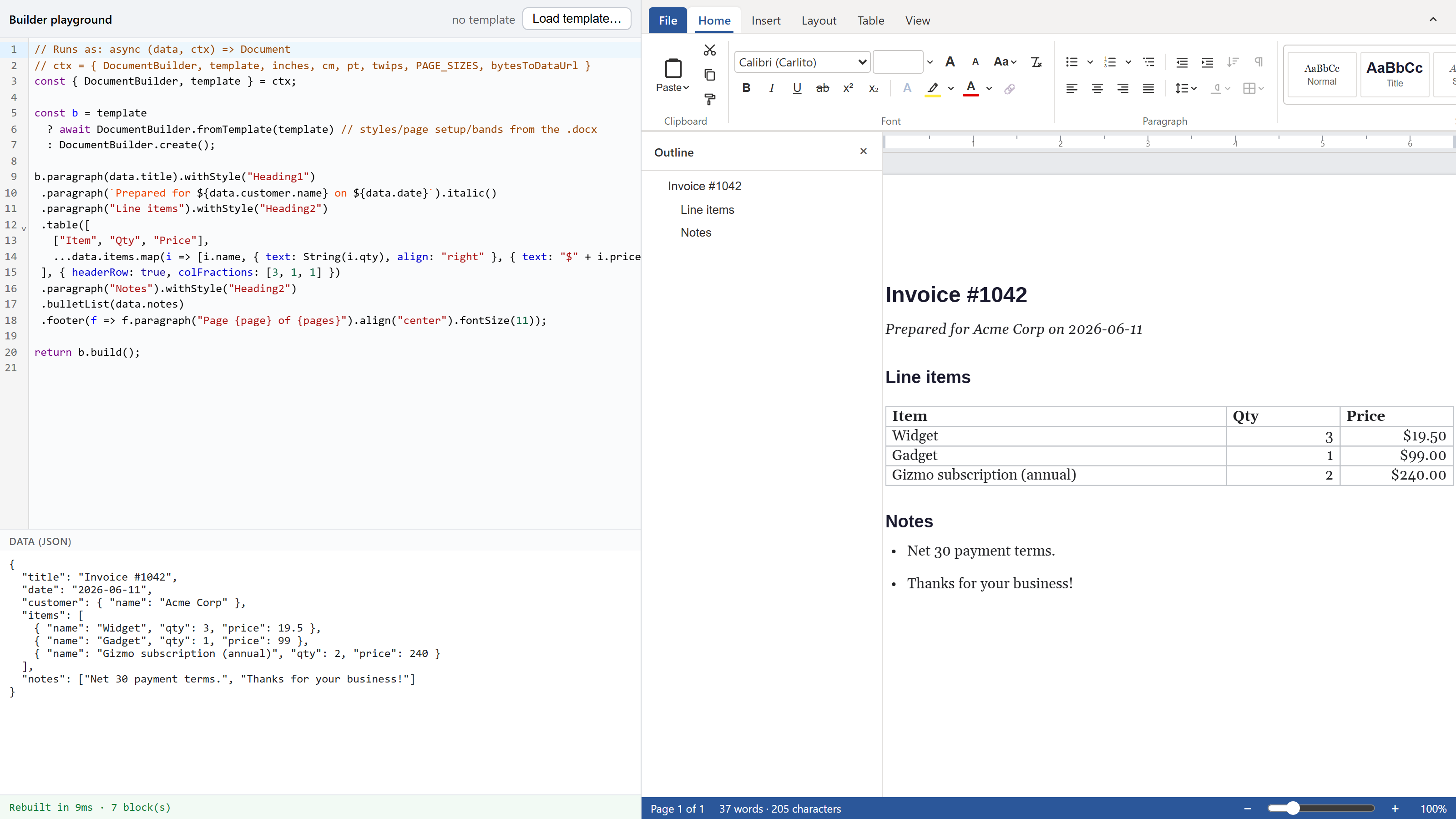
The canvas-word builder turns (data) => Document into a live preview. Write fluent TypeScript, edit the JSON, and the page rebuilds in the editor in single-digit milliseconds.
Compose a Word document in TypeScript and watch it render as you type
The canvas-word builder turns (data) => Document into a live preview. Write fluent TypeScript, edit the JSON, and the page rebuilds in the editor in single-digit milliseconds.
Generating a Word document on a server is a slow loop. You write C# against an OOXML SDK, push XML parts and relationship ids by hand, run the job, open the result, find the table borders wrong, and go back to the code. You never see the document while you write it. You see it after.
Last time I wrote about canvas-word, an editor that renders paged documents to a canvas instead of contenteditable. Its document model is plain data, so I could put a second tool on the same model: a builder you drive from TypeScript, with the rendered page updating as you type.
The code is the template
There is no placeholder language to learn. You write a function from data to a document:
import { DocumentBuilder } from "@forevka/wordcanvas/builder";

const build = (data) =>
  DocumentBuilder.create()
    .paragraph(data.title).withStyle("Heading1")
    .paragraph(`Prepared for ${data.customer.name} on ${data.date}`).italic()
    .table(
      [["Item", "Qty", "Price"], ...data.items.map((i) => [i.name, String(i.qty), `$${i.price}`])],
      { headerRow: true, colFractions: [3, 1, 1] },
    )
    .bulletList(data.notes)
    .footer((f) => f.paragraph("Page {page} of {pages}").align("center"))
    .build();
build() returns a Document: the same plain object the editor renders, the collaboration layer replicates, and the DOCX and PDF exporters write. Hand it to WordCanvas.setDocument and it shows up.
Edit the data, the page follows
The playground runs that function on every keystroke, debounced, and swaps the result into the editor. Change the customer name in the JSON and the heading updates. Add an entry to the items array and the table grows a row. Zoom and scroll position survive the swap, so the preview holds still while the content under it changes.
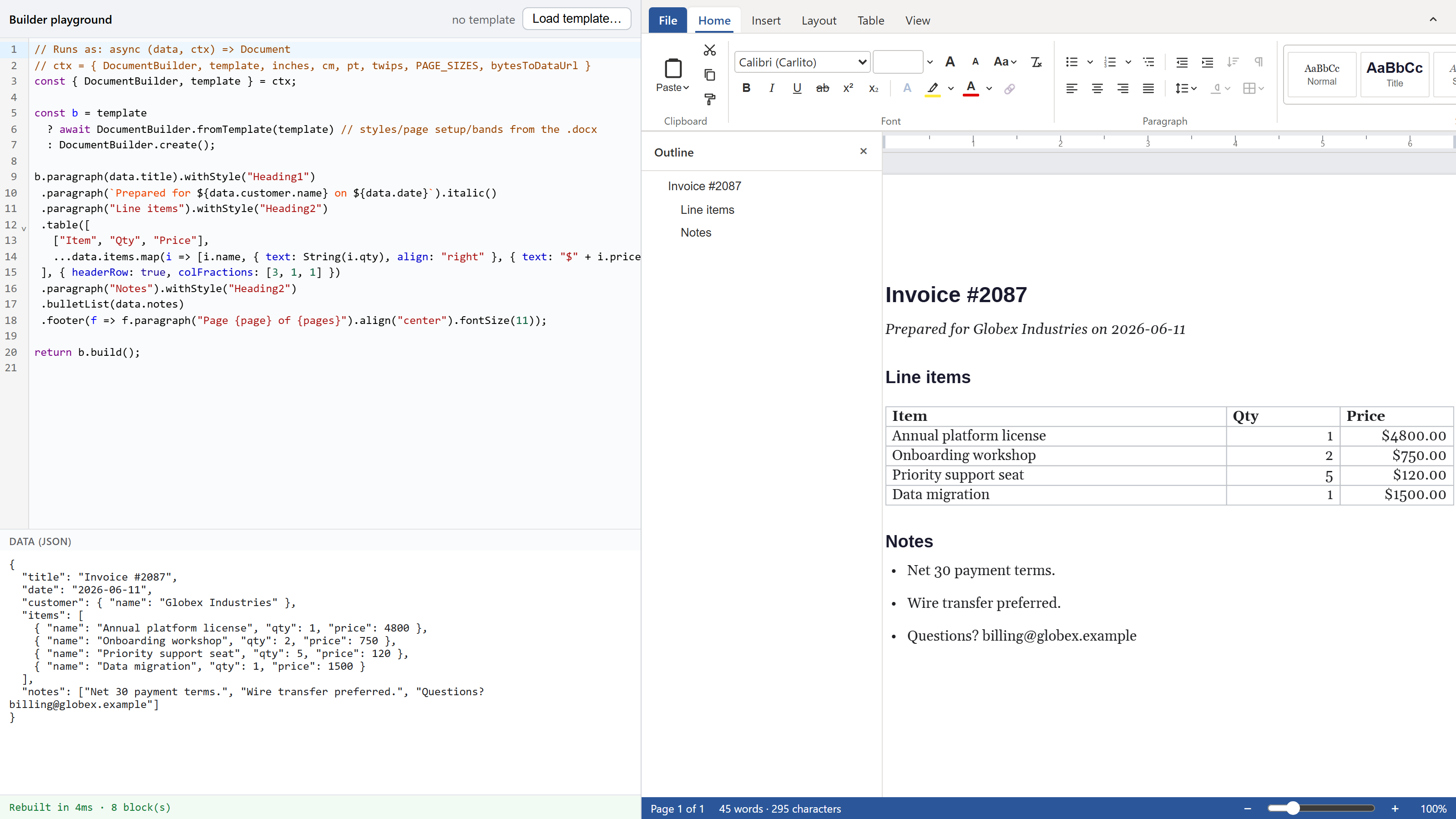
Three panes: the builder code, the JSON it runs against, and the live document. This is the same code as the snippet above, fed a different invoice.
The status line under the panes shows the number I reach for most: Rebuilt in 10ms · 7 block(s). A whole document, built from data and laid out across pages, inside one animation frame. That is the loop the C# version never had.
The fluent chain pops on its own
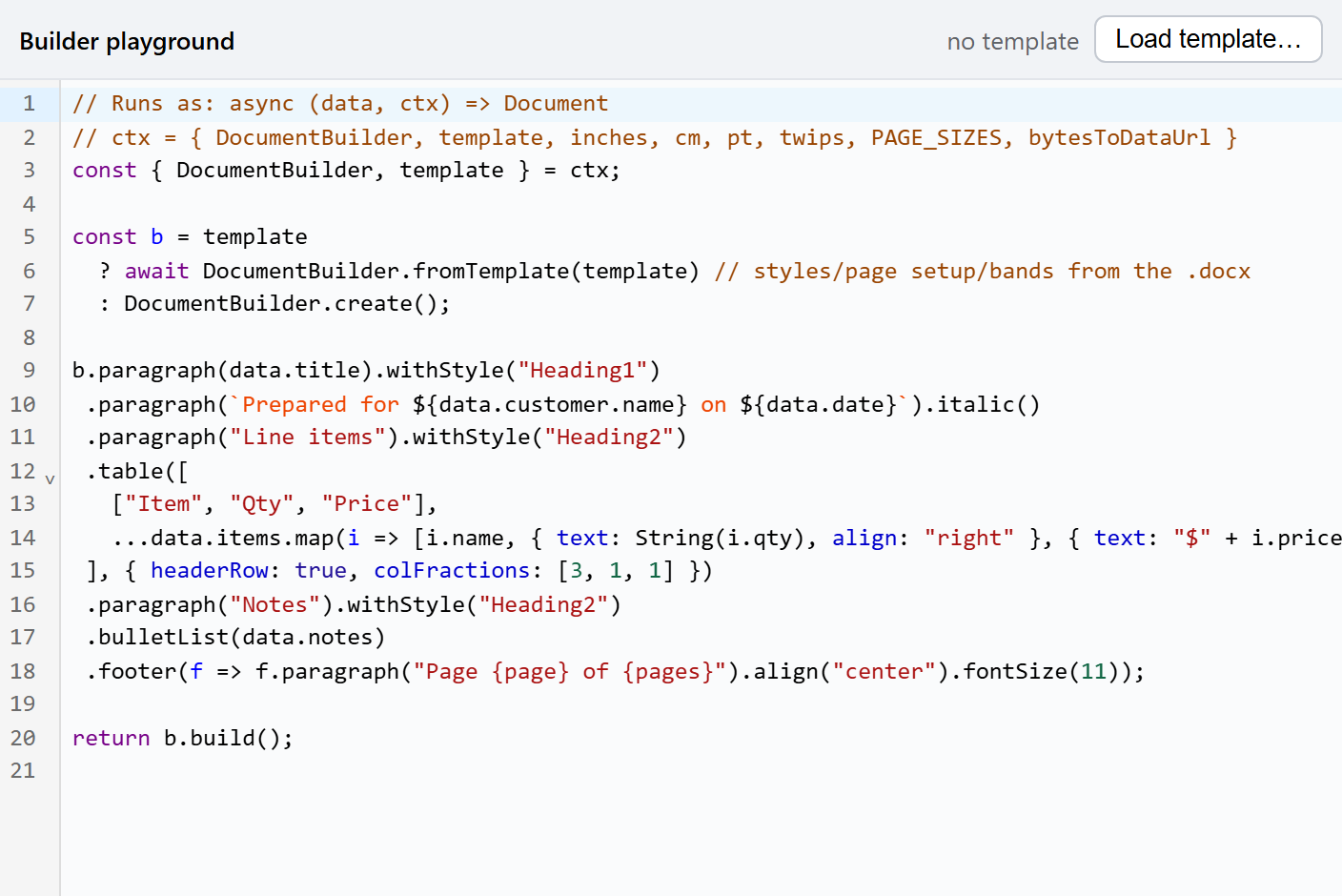
paragraph() appends a paragraph and hands you a scope where bold(), color(), and withStyle() patch that paragraph. Start the next block and the chain pops back by itself, with no end() to remember. Character formatting in a paragraph scope patches every run already there and sets the default for runs you add later, because "make this paragraph bold" is what you mean almost every time. For mixed formatting you patch one run: .paragraph("see ").text("docs", { link: url }).
Structures that nest (tables, header bands, cells) take callbacks instead of the flat chain, so a single cell can hold its own paragraphs, lists, and shading.
You can't break the preview
Feed it malformed JSON and it tells you where, in red, and keeps the last good page on screen.
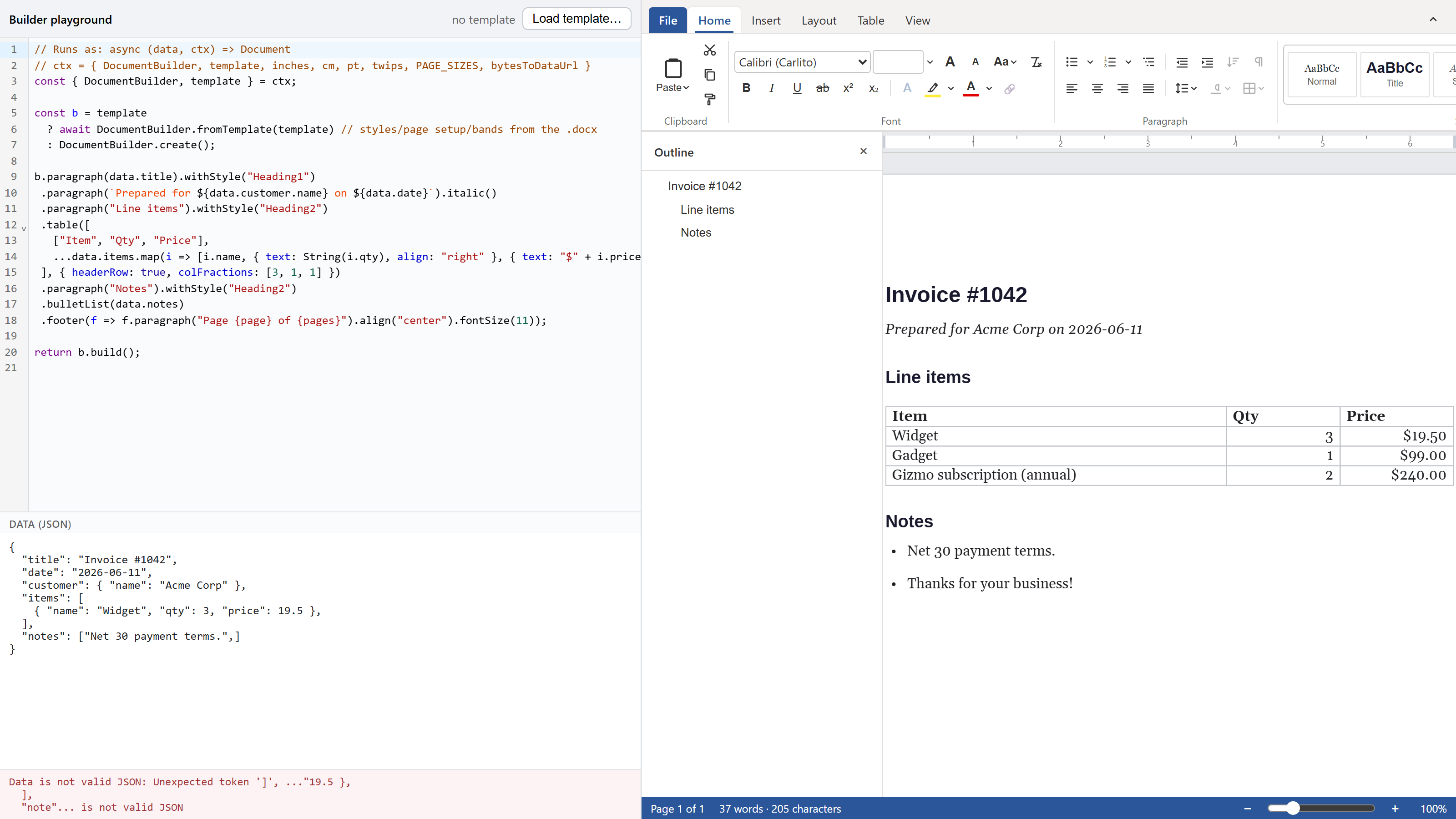
A stray comma in the JSON. The error names the token; the preview holds.
Reference a style the document doesn't define and the build warns and keeps going: the paragraph renders unstyled, the warning names the style, and the rest of the document builds. The same channel surfaces import warnings when you start from a template.
Start from a real .docx
DocumentBuilder.fromTemplate(docxBytes) imports a Word file and keeps what a template is for: the named styles and their basedOn chains, the list definitions, the page setup, and the header and footer bands down to first-page and even-page variants. It drops the body. Your code composes against that stylesheet, so withStyle("Heading1") picks up the heading the template designed. Embedded images in the kept bands inline as data URLs, so the result stays portable across the browser, a worker, and Node.
The same code runs on the server
The builder entry is editor-free. The fluent API and fromTemplate are pure DOM-free TypeScript, so the function you wrote in the playground runs unchanged in Node:
import { DocumentBuilder } from "@forevka/wordcanvas/builder";
const doc = DocumentBuilder.create().paragraph("hi").build();
Inside the workspace you pair it with the export pipeline to get bytes, runExport(doc, "pdf"), over the same metric-clone fonts the editor uses, so the server PDF paginates the way the preview did.
Try it in your browser
No clone, no install. Here is the playground on StackBlitz with the builder wired up. Edit the JSON, change the code, and watch the page rebuild as you type.
What it doesn't do yet
The first version authors body content: paragraphs, tables, lists, images, headers and footers, named styles. It does not author footnotes, a table of contents, or content-control data binding. One section per document, so no mid-document page-size change. Images need explicit pixel dimensions. The published npm package ships the builder but not a compiled export entry, so DOCX and PDF generation outside the workspace is still on the list.
Today you get a function from your data to a Word-class document, a preview that keeps up with your typing, and the same function running on your server. The editor and the builder ship together as @forevka/wordcanvas; the playground runs from the repo with npm run dev:playground.