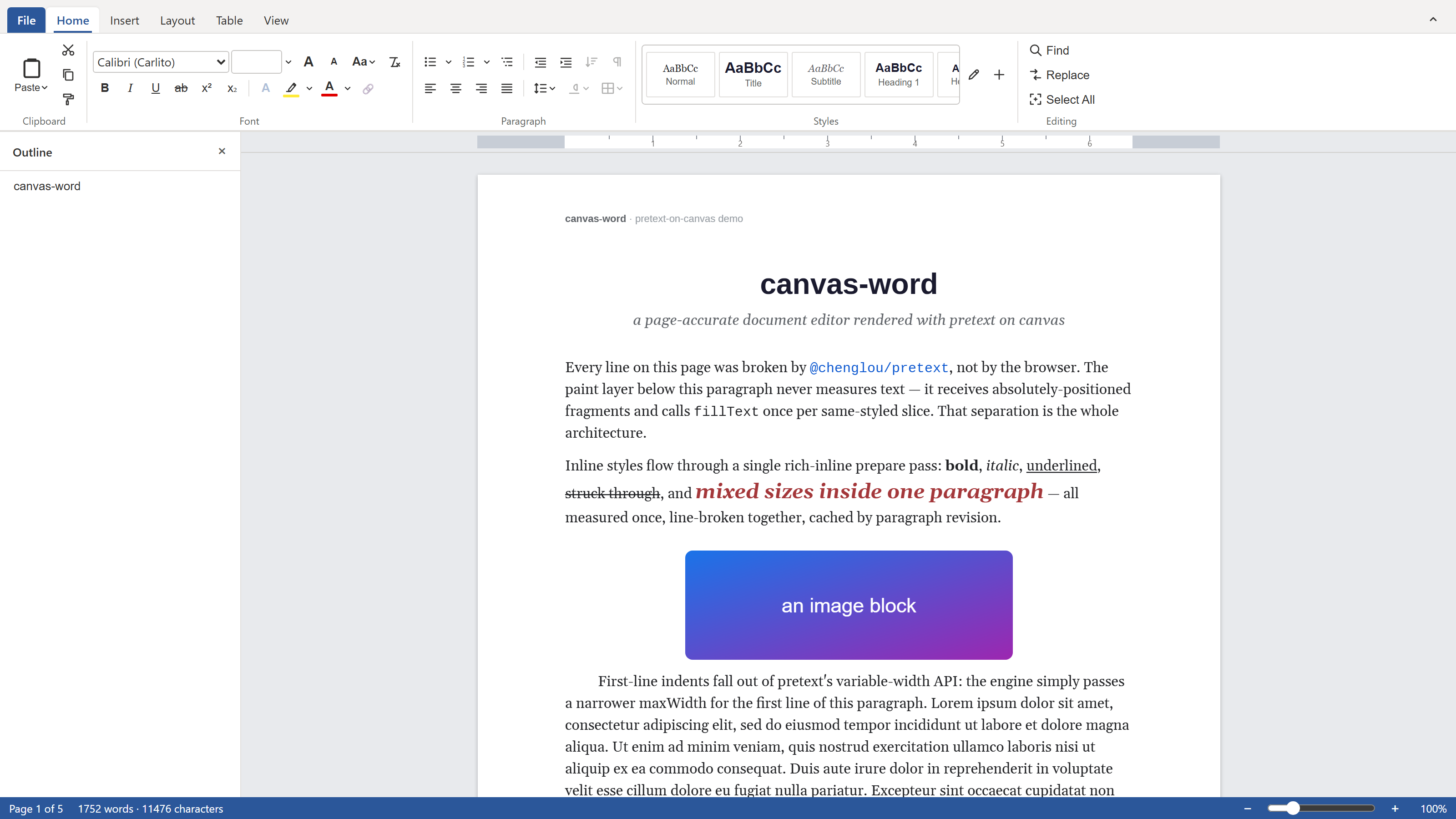
canvas-word renders multi-page documents to a canvas the way Google Docs has since 2021, and edits them without a single contenteditable.
A Word-class editor that never touches contenteditable
canvas-word renders multi-page documents to a canvas the way Google Docs has since 2021, and edits them without a single contenteditable.
Open the network tab on Google Docs and you will not find your document in the DOM. Since 2021 it draws to a <canvas>. The browser pushes pixels; a JavaScript engine decides where every line, page, and caret goes. I wanted to know why a team with that much DOM expertise threw the DOM away, so I built the same architecture from scratch. It is called canvas-word, and it edits real multi-page documents without one contenteditable.
Why contenteditable can't do this
ProseMirror, Lexical, and Slate all stand on contenteditable. You get selection, IME, and accessibility from the browser at no cost. The price is that the browser owns layout, and it flows text into elastic boxes. Ask it a question a paged document depends on and it has no honest answer:
- Where does page 3 end, before I render it, the same on every machine?
- Can this paragraph split here, given widow and orphan rules and keep-with-next?
- What will this look like on paper?
A word processor answers all three on every edit. The DOM answers none of them, because it was built to reflow a web page, not to set a fixed sheet of US Letter. So you do what Google did: own the whole pipeline. A document model, a layout engine that fixes every line position, a paint layer that only draws, and an input layer that rebuilds the selection and IME machinery contenteditable used to hand you.
It looks like Word because the hard parts match Word

The ribbon is the easy half. The convincing half sits underneath. Double-click into a header and edit it in place. Tab through table cells. Drag a column border. Hit Ctrl+Enter for a page break and watch the two-step backspace remove it the way Word does. The break semantics match too: across a 1107-page stress document the engine placed 697 split paragraphs with zero widow, orphan, or keep-with-next violations.
Line breaking is the part nobody wants to reimplement, and the part the browser is good at. I get it from @chenglou/pretext, a pure-TypeScript layout engine that measures and breaks lines with no DOM reflow. Unicode segmentation, mixed scripts, several styles in one paragraph, all measured once and cached per paragraph revision. A keystroke re-breaks one paragraph. Everything after it is pagination arithmetic.
The features that make it a document editor

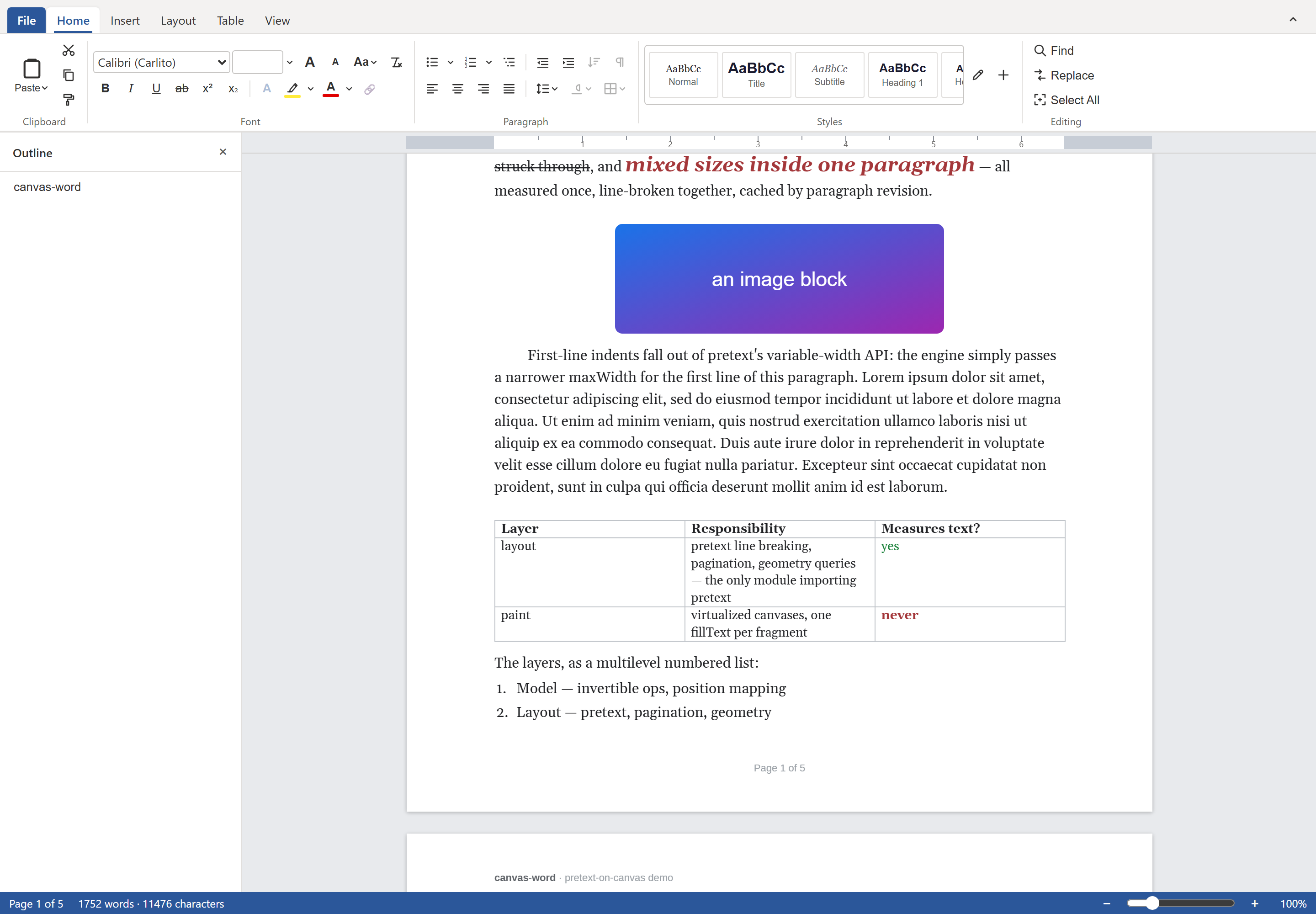
Tables hold real paragraphs, merge cells, and split across a page at a row boundary. Images drop into the body or a cell, resize from eight handles, and wrap text around them square. Lists run nine levels deep with per-level numbering that resets on a higher-level increment. Headers and footers carry page-number fields in roman or alpha, vary on the first page, and push the body down as they grow taller. Footnotes stack at the page bottom and renumber in the same edit that inserts them. A table of contents resolves its page numbers against the final page map, so they are never stale. Sections give you newspaper columns. Content controls round-trip from .docx.
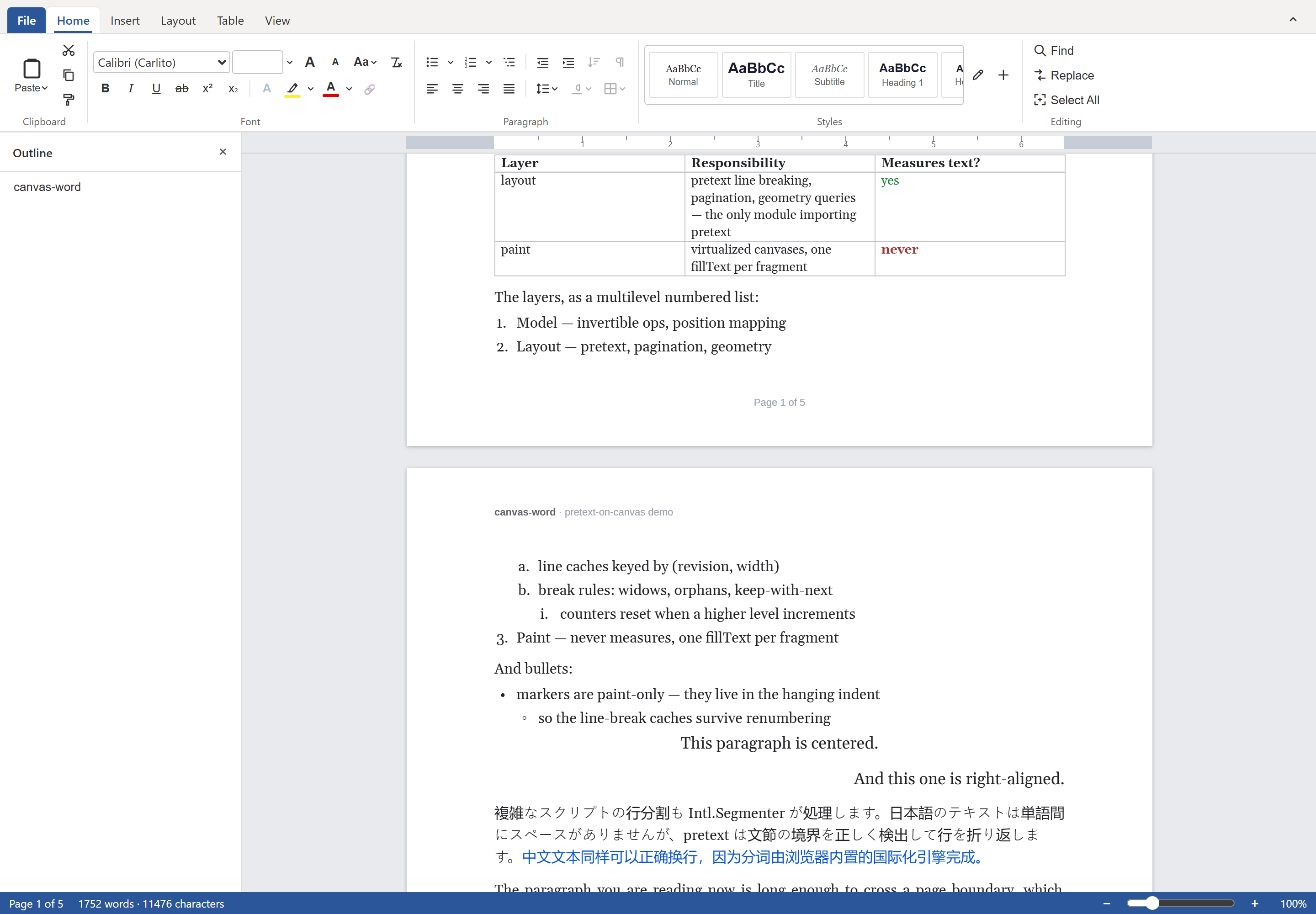
One scroll, four features: a bordered table, a multilevel list, a real page boundary, and the running header on page 2.
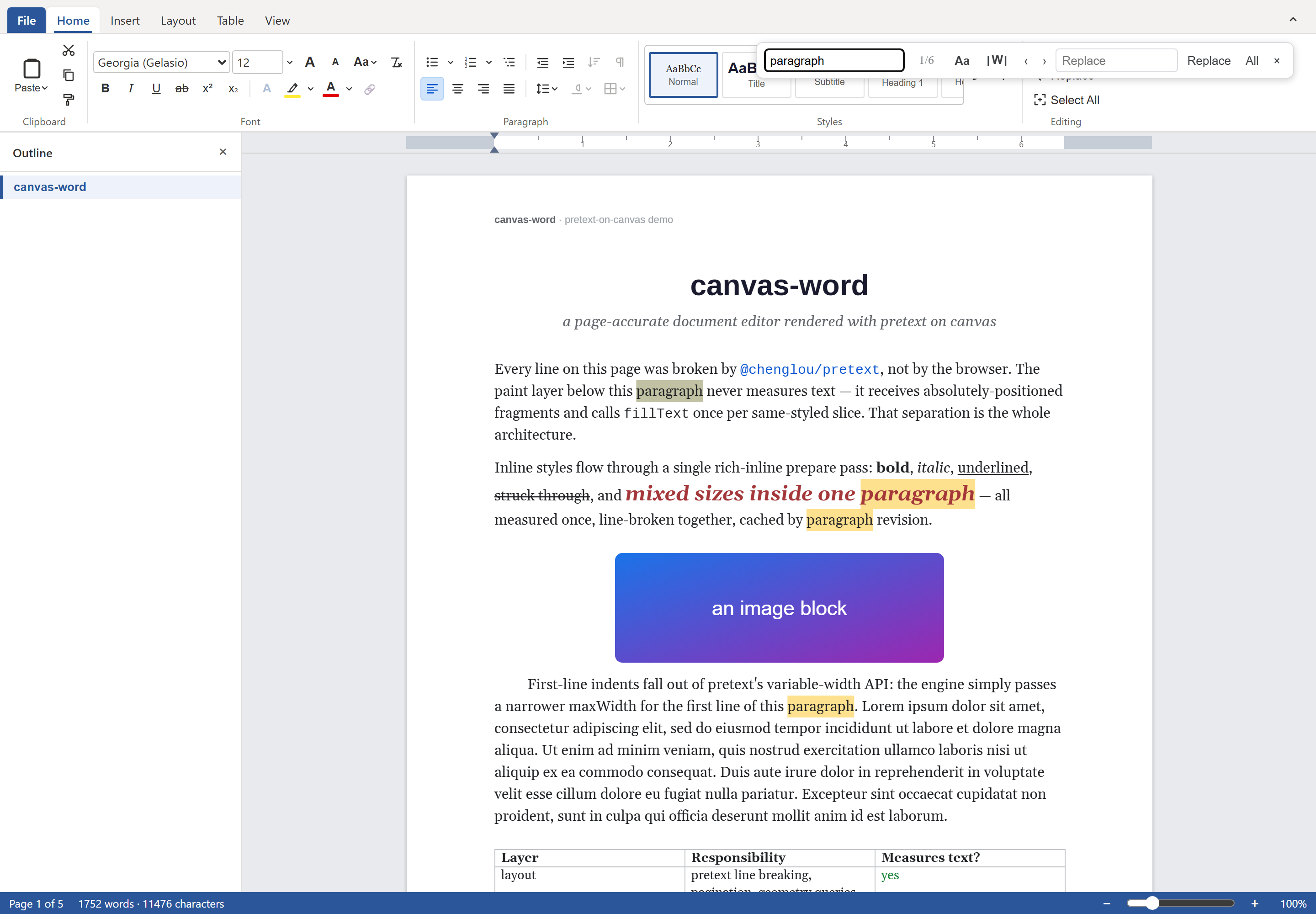
Find and replace highlights every match as you type, counts them, and undoes a replace-all in one step.
It is fast because the caches are keyed right
Own layout and you pay for layout, so the caching has to be exact. canvas-word keeps two tiers: the expensive per-paragraph measurement, keyed by paragraph revision, and the line boxes, keyed by revision and width. A width change reuses the measurement instead of redoing it. The numbers below all come from in-browser runs:
- Cold layout of 4950 blocks across 1107 pages: about 1.15 seconds, around 0.23 ms per paragraph.
- A warm full relayout off the line cache: about 3 ms.
- One keystroke at page 550 of 1107, through the whole pipeline: median 5.2 ms.
- A jump to page 550 settles under 10 ms with four live canvases. A thousand-page document keeps three or four canvases alive at once and virtualizes the rest.
Whats inside?
canvas-word imports .docx and exports both .docx and page-accurate PDF. A PDF page matches the canvas pixel for pixel, because the export replays the same layout engine into pdfkit. That pipeline runs DOM-free in a browser Web Worker and on a Node backend over bundled metric-clone fonts, so the editor, the browser export, and the server export all paginate the same way.
There is operational-transform collaboration over a WebSocket backend with a Postgres change store, remote carets and selections with attribution, and a builder API for generating documents from JSON in Node. The editor ships as @forevka/wordcanvas, a zero-dependency package you mount with new WordCanvas({ container }).
Try it in your browser
You don't have to take my word for it. Here is a live build on StackBlitz running the offline editor this article describes. Type into it, open a .docx, scroll across a page boundary, export a PDF.
Last word
It covers around 95% of what you do in Word on a normal day, drawn on a canvas, the same on every machine, printable to the pixel. The interesting question was where the DOM stops being the right tool. This is where I found out.